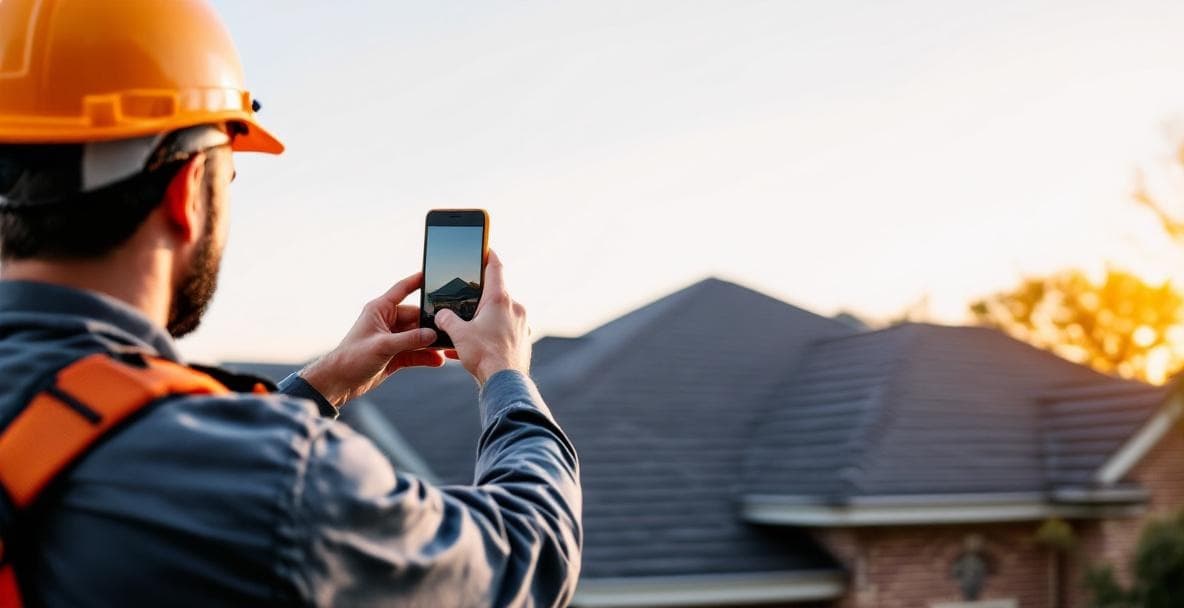
Best Photos for Roofing Ads: A Texas Contractor's Guide to Creative That Converts
You're spending real money on Facebook and Google ads. Maybe $1,500 a month, maybe $5,000. And somewhere between the ad platform taking its cut and the homeowner scrolling past your creative, the leads aren't coming. Before you blame your targeting or your landing page, look at the photos you're running. For most Texas roofing contractors, that's where the money is bleeding out.
This guide covers the exact photo types that drive roofing leads, how to capture them without a film crew, the specs each platform demands, and how to build a creative library that keeps your campaigns fresh through storm season and beyond.
Why Roofing Ad Photos Directly Control Your Cost Per Lead
Both Facebook and Google use engagement signals to price your impressions. When your creative gets low click-through rates, the algorithm reads that as low-quality inventory and charges you more to show it. The spread is not trivial: a roofing contractor running $2,000 per month at a 0.5% CTR versus 2% CTR is effectively paying four times more per lead for the same budget. Same audience. Same zip codes. Worse photo.
Texas ranks among the top three states for hail claims every year. During the April through June surge — and again in the fall — search intent spikes hard and ad competition spikes with it. Every roofing contractor in your market floods Facebook and Google simultaneously. In that environment, weak creative doesn't just underperform; it gets buried. The contractors winning those clicks are running authentic local imagery: real damage, real crews, real Texas neighborhoods.
Stock photos make the problem worse, not better. They're reverse-image-searchable. A homeowner who has been burned by a fly-by-night storm chaser will run a Google image search on your ad photo. When it traces back to a stock library, you've lost that lead permanently — and spent money to do it.
Real job-site photos from recognizable Texas subdivisions outperform staged or generic images on every metric that matters: CTR, cost per lead, and conversion rate on the landing page. The fix starts before you open Ads Manager.
Six Roofing Photo Types That Drive Clicks and Calls in Texas
Not every photo you take on a job is worth putting in an ad. These six categories are the ones worth building your creative strategy around.
1. The damage-proof shot. A tight close-up of hail dents, cracked shingles, or lifted flashing — taken before work begins. This is your highest-converting ad image category in Texas storm markets. It triggers the same anxiety in a homeowner that makes them pick up the phone.
2. The wide establishing shot. A ladder-level or aerial view showing the full scope of damage on a recognizable residential roof. Texas home pitches are distinct, and that visual context tells a local homeowner immediately that this job happened nearby.
3. The in-progress crew shot. Two or three workers mid-install with safety gear visible and company shirts or trucks in frame. This single image addresses the two questions every homeowner has: are these real professionals, and are they actually insured and equipped? You answer both without writing a word.
4. The finished-roof beauty shot. Taken during the golden hour — the first hour after sunrise or the last before sunset — to work with Texas light rather than against it. Harsh midday sun from May through September blows out highlights and creates deep shadows that flatten your best work. Shoot before 9 a.m. or after 6 p.m.
5. The before/after composite. Side-by-side comparisons are the most saved and shared format on Facebook and Nextdoor. You don't need design software; a free app like Canva handles the layout in two minutes. This format does more persuasion work per pixel than anything else in your library.
6. The customer moment. A homeowner shaking hands with the crew foreman or standing in front of the completed job. It humanizes the transaction without requiring a written testimonial. Texas home exteriors frequently feature brick facades and neutral stucco — a finished-roof shot that includes this context signals this is a job in my neighborhood to a homeowner scrolling their feed in the same subdivision.
How to Capture Job-Site Photos Without a Film Crew
You do not need to hire a photographer for every job. A current iPhone or Samsung flagship shot at 1x or 2x zoom produces more than enough resolution for every ad platform you're running. The wide-angle lens distorts the roof geometry — stick to the standard lens.
The logistics problem is real: you're running crews, not a content studio. The solution is to assign one person per job as the designated shot captain. Their job is three photos at three specific moments: tear-off complete, mid-install, and final walkthrough. That's it. Codify it in your pre-job briefing the same way you cover safety protocol.
For larger commercial jobs or high-value residential re-roofs, a licensed Part 107 drone operator is worth the investment. Most Texas metro areas have freelance operators available for approximately $150 to $400 per job depending on deliverables and market — construction and roofing shoots typically fall in the middle of that range. Aerial footage of a completed commercial flat roof or a sprawling residential property gives you creative assets that no competitor shooting from a ladder can replicate.
The one rule that eliminates most unusable photos: never shoot into the sun. Orient the camera so the sun is behind the photographer or at a 45-degree angle to the side. That single habit makes more difference than any equipment upgrade.
On the legal side: get a signed photo release from the homeowner at the time they sign the final invoice. Add a single checkbox to your standard completion document. Do it once, do it every time, and you never have to think about it again.
Shoot at the highest resolution your phone allows. You can compress any image down for ad specs. You cannot recover a blurry or low-res original.
Platform Specs for Texas Roofing Ads: Facebook, Google, and Nextdoor Sizing
A great photo ruined by bad cropping is a waste of every minute you spent capturing it. Each platform has formatting preferences, and submitting the wrong dimensions means the platform auto-crops your image — usually in the worst possible place.
Facebook and Instagram feed ads: 1080x1080px square is the safest universal format. For link-preview ads, use 1200x628px. In both cases, keep critical content — faces, damage detail, company branding — within the center 60% of the frame. Platforms crop from the edges, and anything in the outer 20% may disappear on certain placements.
Google Display Network: Submit both 1200x628px landscape and 1200x1200px square. Those two formats cover roughly 90% of available placements. If you only upload one size, you're leaving a significant share of your reach on the table.
Nextdoor Sponsored Posts: 1200x900px is the preferred format. Horizontal compositions of finished roofs or neighborhood jobs consistently outperform verticals on this platform. Nextdoor's audience is specifically local, which is exactly why a photo tagged to a recognizable neighborhood plays well here.
Video: A time-lapse of a one-day re-roof or a short drone pan under 15 seconds outperforms static images on Facebook Reels and Instagram Stories. If your shot captain is already on site with a phone, setting up a 30-second time-lapse costs nothing and produces your most versatile creative asset.
Never upload an image smaller than 1000px on its shortest side. Platforms will accept the file, but they'll serve a pixelated result that tells every homeowner who sees it that you don't pay attention to detail — the wrong signal for a contractor asking someone to trust you with their roof.
Roofing Photos That Hurt Your Ads: What to Avoid
Auditing your existing creative library is as important as building a new one. Some photos actively damage your campaign performance and your brand.
Empty roofs with no crew, no context, and no damage detail give the viewer nothing to react to. They look like stock photos even when they're not, and they convert like stock photos.
Crew members without visible safety harnesses or PPE are a liability waiting to surface. A single OSHA complaint or viral post about an unsafe job site can cost more than your entire monthly ad budget. If your crew is working safely — and they should be — the photo should show it.
Photos that include neighboring homes without a release create legal exposure in Texas. Using another property in commercial advertising without the owner's consent is not a gray area. Get the release or crop the neighbor's home out of frame.
Extreme close-ups of completed shingles with no skyline or home context perform poorly because the viewer has no frame of reference. They can't place the job geographically, can't feel the local relevance, and scroll past.
Images with visible competitor logos, supplier branding, or other contractor marks should stay out of your ad library entirely unless you have written permission to feature them.
Dusk or night photos taken without supplemental lighting look unprofessional regardless of which phone captured them. Even current flagship hardware produces grainy images in low light. If the beauty shot window has passed for the day, come back in the morning.
Texas contractors should also be careful about any image that could be construed as deceptive advertising — particularly before/after photos that misrepresent the actual scope of work or show work that wasn't completed under your license. This applies to advertising compliance requirements that Texas roofing operators share with other trades operating under local and state contractor registration rules.
Ad Creative Frameworks for Texas Roofing: What Makes Homeowners Click
Rather than presenting generic teardowns of unrelated ads, here are two proven conversion frameworks specifically adapted for the Texas storm-damage market. These are structures you can build into your own Facebook and Google campaigns.
The Named-Fear Hook With a Local Anchor
What it looks like. "Hail hit [neighborhood or city] last week. Here's what most homeowners are missing." The ad opens on a specific, local fear — storm damage the viewer may have dismissed — then adds the complication that the real risk is invisible from the ground.
Why it works. A homeowner in your target area isn't thinking about their roof until the ad makes them think about it. Naming a storm event or a local neighborhood snaps the ad out of generic and makes it feel like information, not an advertisement. The viewer isn't evaluating a vendor yet — they're processing a local concern. That lower-guard state is where the click happens.
What to build. Write one version for each neighborhood or ZIP code you serve. After any confirmed hail event in your area, swap in the specific storm or date in the headline and activate within 24 hours. Keep the offer low-friction — free inspection, same-day estimate — so the homeowner's only decision is whether to learn more, not whether to hire you.
The Invisible-Risk Free Offer
What it looks like. "Your roof survived the storm. Here's what you can't see from the ground." Brief explanation of why hail damage is often invisible from street level, followed by a free inspection offer.
Why it works. A homeowner who assumes their roof is fine because there's no visible leak is the hardest to reach with urgency messaging — and also the most likely to discover hidden damage later and wish they had acted sooner. This framework creates that salience without manufactured alarm. The homeowner isn't deciding whether to hire you — they're deciding whether to remove uncertainty for free. That's a much easier ask.
What to build. Time this format for the week following any confirmed hail event in your area, targeting affected ZIP codes with Facebook and Instagram radius ads. The present-tense framing ("may already be forming") outperforms hypothetical future warnings ("could happen"). Keep the offer in the same sentence as the threat so the reader doesn't scroll before they reach the resolution.
Building a Texas Roofing Photo Library That Lasts All Year
The contractors who win during Texas storm surges aren't scrambling for photos after a hail event. They already have a library organized and ready to deploy within hours of a storm.
Create a shared Google Photos or Dropbox folder organized by job type: hail damage, full re-roof, commercial flat, metal roofing. When a campaign segment needs creative, you pull from the relevant folder instead of texting your crew foreman asking if anyone remembers where they saved those photos from the last job.
Target 10 to 15 usable shots per job. A crew doing five jobs per week generates 50 to 75 new creative assets weekly at that pace. That volume lets you rotate ads monthly and avoid the creative fatigue that drives CTR decay.
Tag every photo by neighborhood, city, or county. A finished-roof photo from a subdivision in your primary market plays better in a campaign targeting that city than the same quality photo from a different metro. Texas roofing businesses serving multiple markets — DFW, Houston, San Antonio, Austin — should maintain geographically tagged libraries. Each market has distinct housing stock and neighborhood aesthetics.
Your best before/after pairs are permanent assets. Storm season creative from two years ago is still effective if the damage type recurs — and in Texas, it will.
For flagship creative — the images you run in Google Display and brand awareness campaigns — consider a quarterly half-day shoot with a local real estate or architectural photographer. Most Texas metros have options in the $400 to $600 range for a half-day session. That investment produces polished hero imagery that elevates every campaign it runs in.
Testing Roofing Ad Photos: How to Know What's Actually Working
Guessing which photo converts better is how you waste ad budget. Testing is how you stop.
Run A/B split tests in Meta Ads Manager with a minimum of $50 per image variant before you call a winner. Below that threshold, the results are statistical noise.
Track three metrics for roofing ad photos: CTR (target above 1.5% for cold audiences), Cost Per Lead, and Thumb-Stop Rate on video. CTR tells you if the image earns the click. Cost Per Lead tells you if those clicks convert. Thumb-Stop Rate tells you if your video creative stops the scroll in the first three seconds.
In Texas storm markets, test damage photos against finished-roof beauty shots. During peak hail season, damage photos routinely outperform beauty shots on CTR. Outside storm season, the gap narrows. Your creative mix should shift with the calendar.
Rotate creatives every four to six weeks. During active storm events, cycle faster — when every roofing contractor in your market is running ads simultaneously, audience fatigue accelerates. A deeper creative library than your competitors is a direct competitive advantage in those windows.
Screenshot and archive every top-performing image along with its performance data. Over time, this becomes your creative brief — you'll see patterns in what your specific audience responds to, and that data informs every future shooting session more accurately than any general best-practice guide.
Frequently Asked Questions
Do I need a professional photographer for roofing ads, or can I use my phone?
Your phone handles most roofing ad creative just fine. A current iPhone or Android flagship at 1x or 2x zoom produces more than enough resolution for every major platform. Where a professional adds value is for flagship brand creative — polished hero images for Google Display and awareness campaigns. A local architectural photographer typically runs $400 to $600 for a half-day session in most Texas markets.
What size should roofing ad photos be for Facebook and Google?
For Facebook and Instagram, use 1080x1080px square as your default and 1200x628px for link-preview ads. For Google Display, submit both 1200x628px landscape and 1200x1200px square to cover roughly 90% of placements. Never upload an image smaller than 1000px on its shortest side.
Is it legal to use photos of a customer's home in roofing ads in Texas?
Yes, with a signed photo release. Get written consent at the time the homeowner signs the final invoice — a single checkbox on your completion document handles this cleanly. Photos that show neighboring homes in the background create separate liability; either crop them out or get a separate release. Before/after photos must accurately represent the actual scope of work completed — misrepresenting the work in advertising creates exposure under Texas advertising and contractor registration rules.
Why are my roofing Facebook ads not getting clicks?
The most common culprits, in order: generic or stock-looking photos that give the viewer nothing specific to react to, creative fatigue from running the same images for more than six weeks in the same zip codes, and targeting cold audiences with beauty shots when damage-focused imagery converts significantly better during storm season. Pull your CTR by creative variant and check whether anything is above 1.5%. If nothing is, the problem is almost always the photo.
Should I use stock photos or real job photos for roofing ads?
Real job photos, without exception. Stock photos are reverse-image-searchable, and homeowners who have had bad storm-chaser experiences will run that check. When they find your ad image in a stock library, the lead is gone. Beyond the trust issue, real local imagery — Texas neighborhoods, Texas housing stock, your actual crew — consistently outperforms stock on CTR because it signals local relevance in the first half-second of the scroll.
How many photos should I take per roofing job for advertising?
Target 10 to 15 usable shots per job, captured at three moments: tear-off complete, mid-install, and final walkthrough. Assign one crew member as the shot captain so it happens consistently. At that cadence with a crew running five jobs per week, you're generating 50 to 75 new creative assets weekly — enough to rotate campaigns monthly through storm season.